

Boxes, lines, circles
Majority Label
Individual qualified reads on a task are aggregated to create the Majority Label. The Majority Label is created once we have a single qualified read.
Three values determine how box / line / circle segmentation reads are aggregated:
- Number of reads considered: Maximum number of qualified reads used to create the ‘majority’ shape(s)
- Clustering distance threshold: How close together individual qualified reads must be to be considered the same box, line or circle, creating “clusters” of reads
- Required reads in a cluster: Minimum number of qualified reads that need to include a in a cluster for that area to be a part of the Majority Label
Consider an example where number of reads considered is 6, clustering distance threshold is 10, and required reads overlapping is 2.
First, these 6 reads will be grouped into 3 distinct clusters, which means that every annotation within 10 units of each other is considered to be a part of the same cluster. Clustering determines which individual annotations should be aggregated versus which should be considered separate annotations.
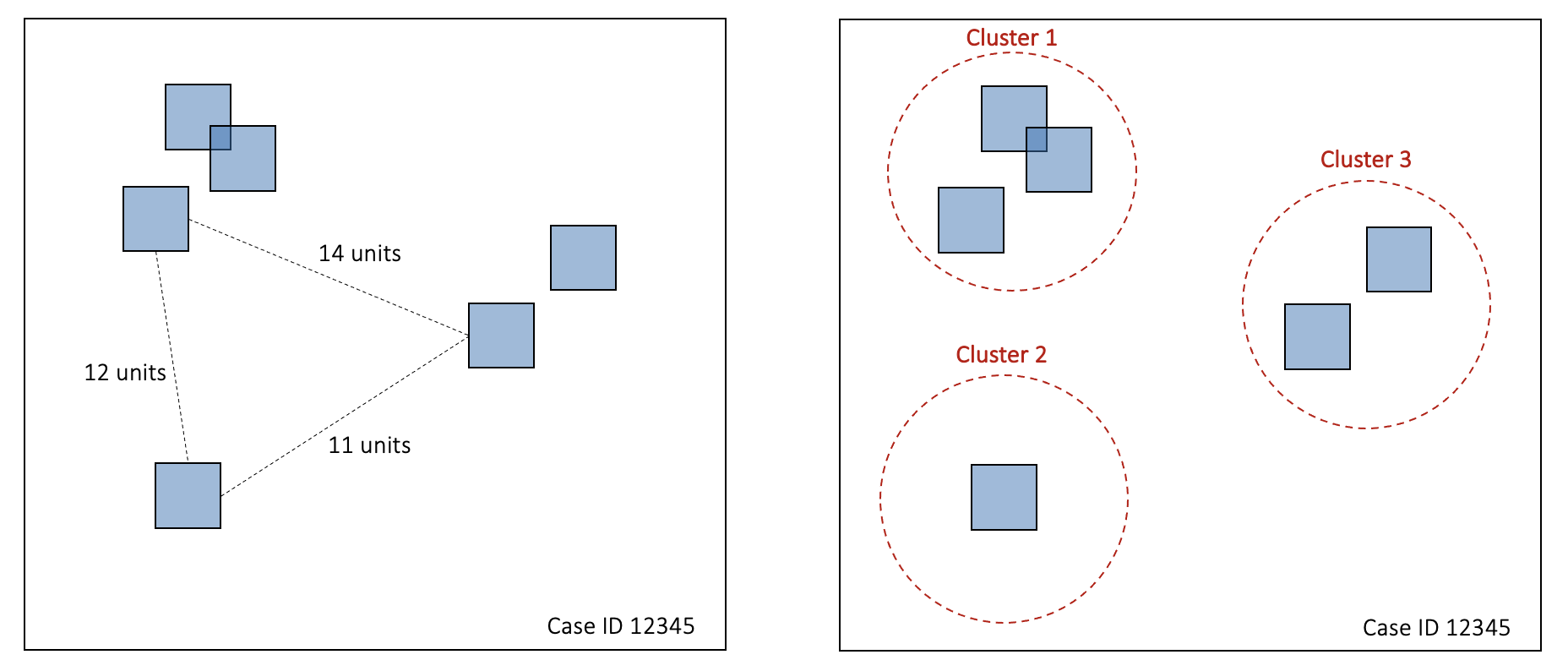
Next, at least 2 of the top 6 reads need to be in a cluster for that cluster to be included in the Majority Label. In this example, that eliminates cluster 2, as it contains only 1 of the top reads.
Lastly, the annotations in the remaining clusters are aggregated by averaging the coordinates of each annotation within the cluster. The resulting annotations create the Majority Label.
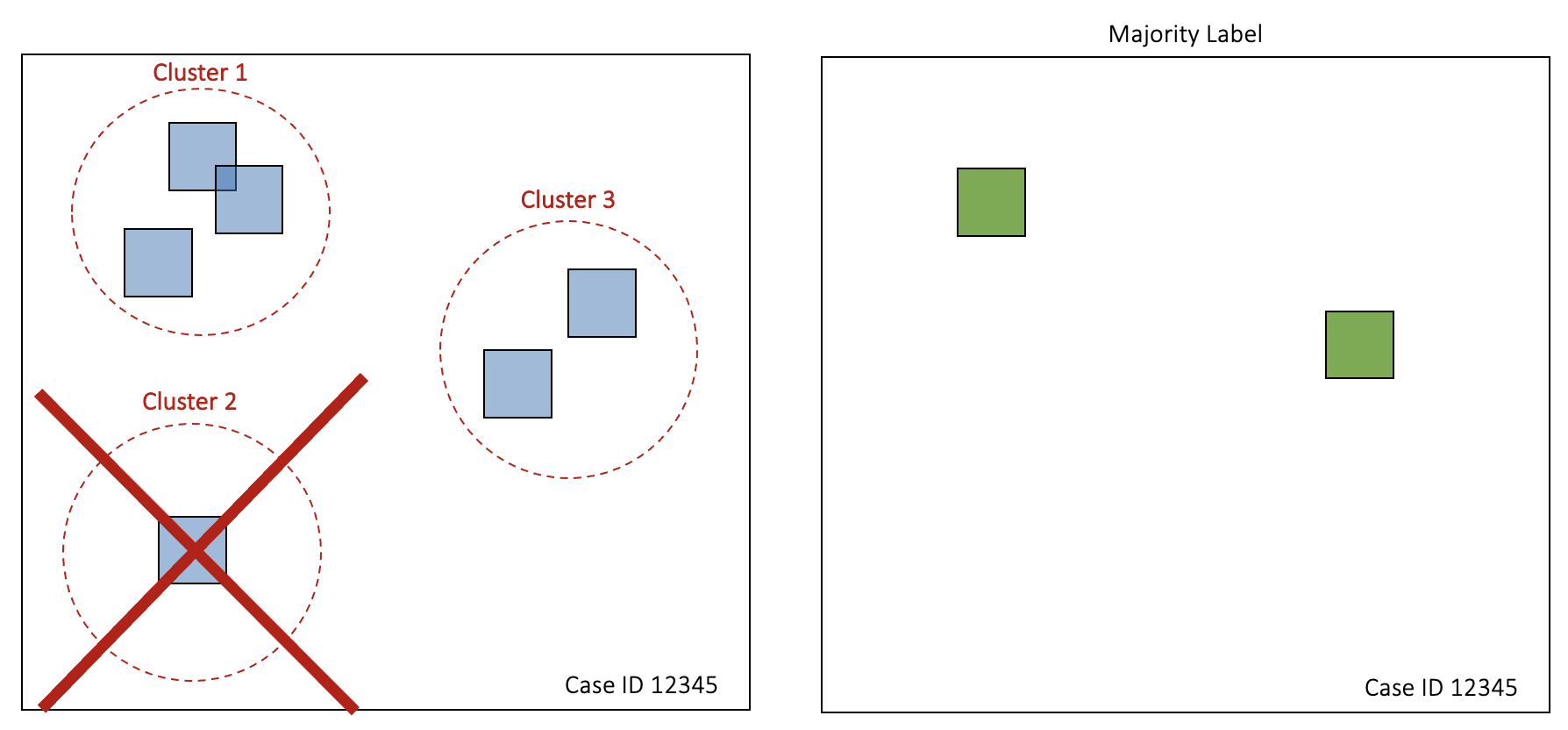
In the case of multi-class segmentation, this process is performed independently for each of the classes present in the image.
Correct Label
For Gold Standard cases, the Correct Label is what was provided by you.
For Labeled cases, the Correct Label is the same as the Majority Label once it has received the minimum number of qualified reads (e.g., 3) that reach a certain level of agreement with one another (e.g., 75%).
Updated about 1 year ago