

Create files manifest
If your data is not grouped in any way, you do not need a files manifest. However, if your data falls under the following categories, please create a CSV to explain how you would like your data to be presented to our labelers:
- Frames from a video (e.g. multiple frames from the same ultrasound)
- Multiple window levels or versions of images
- Audio and images shown together in a video (e.g. spectrogram with audio recording)
This files manifest will be used to ensure your data is organized correctly and shown to labelers per your specifications.
When setting up your project, select Images belong to a series. Then, when data is added, download the files manifest template, populate it, and upload it. This will organize your images in the desired format for labeling.
Unique identifiersAlways use origin to indicate your data's unique identifier.
Series (videos, etc.)
Convert your videos into a standard format -- JPG or PNG -- and provide a CSV referencing their original grouping. View a template that you can download here.
This information will be used to make sure your images are presented in the correct groupings and order to labelers.
| content_id | origin | series | series_index | notes |
|---|---|---|---|---|
Centaur's unique ID for image or text eg. 234089 | Unique filename or ID for the file path eg. videos/my_videos/ video_1/frame5.jpg OR mris/my_mris/mri01.dcm | Unique series id (DICOM name, video name, etc.) eg. video1 | 0-n (n=number of images) eg. 5 | Any remaining metadata you’d like stored in this data row. Use dashes in place of any commas. If only certain frames should be labeled, note which frames here. eg. customer id = 1234 |
For DICOMs, multi-frame DICOM files will automatically be converted into to Image in a series on the Centaur portal. Single-frame DICOM files can be converted to Image in a series on the Centaur portal through a custom set up. Contact your project manager for more details regarding this process.
Audio and image
Use this structure to indicate how to add an image on top of the audio recording that you've shared.
| origin | image_id | notes |
|---|---|---|
Unique filename or ID for the file path eg. abstact1234.mp4 | Desired image to be displayed with the audio recording eg. abstact1234.jpeg | Any remaining metadata you’d like stored in this data row. eg. customer id = 1234 |
Examples of how this information is used
Ischemia segmentation
Here you see a single target image highlighted (the user is prompted to segment the ischemia on only that image), but the entire series is displayed for context. Each image here would be represented in a single row in the CSV.
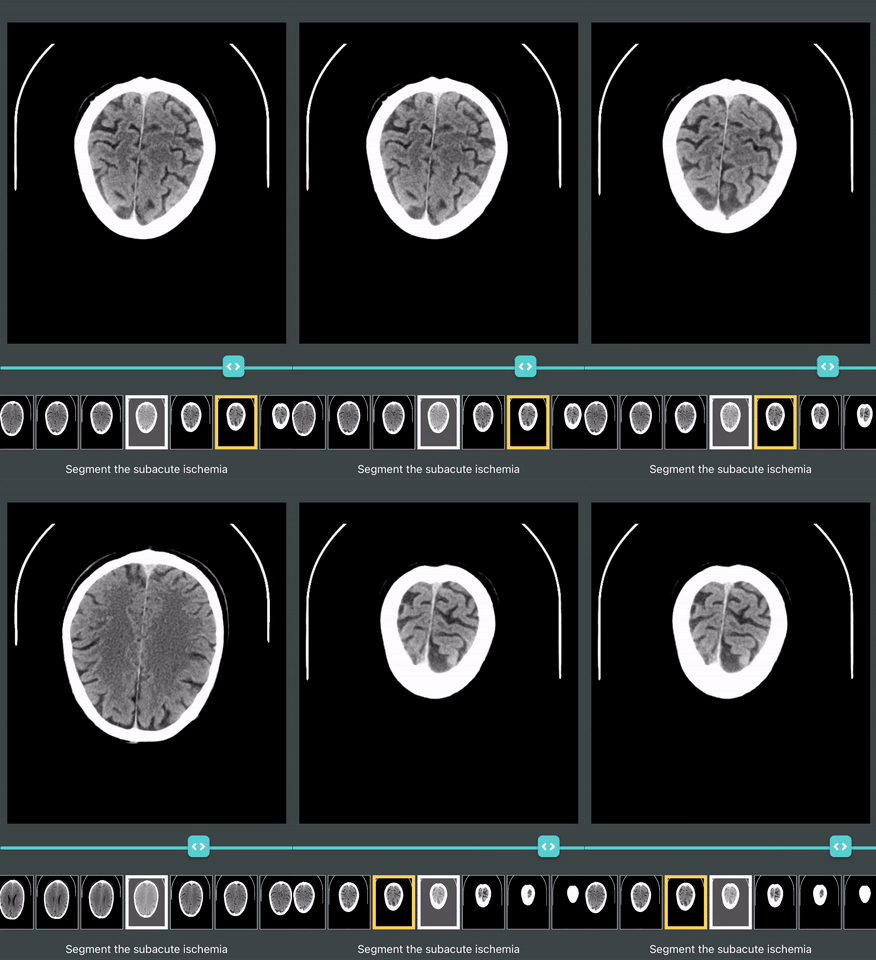
Series Example
Updated about 1 year ago